Wednesday, 29 August 2018

The #1 Question to Ask When Considering a Training Initiative


I am sure we are all in agreement that your employees, your people, are the company's most important asset. Sadly many companies place a lot of emphasis on their recruitment and interview process, and the investment stops there. Most people are expected to just get on with it. Employees only meet expectations when they are clear about what's expected and connected to the short to medium-term goals for the company.

It is, of course, true that some companies are very passionate about people development and training but get they tend to get lost in a sea of training content that managers subjectively believe their teams need to be trained on. Without focus, a quantifiable case study of why the training is mission critical right now, defined time frameworks and evident ROI's, the senior management team are not likely to sign off on any training plans anytime soon.

While training initiatives may ultimately contribute to a company's long-term success, which of them are critical to the short to medium term goals of the company.

Go through the proposed training plans and identify the ones that you believe will grow the knowledge with the power to make or break your company right now. 

Is the proposed initiative a nice to have or is it aligned with the goals and objectives the company has set for the next 3-12 months?

How critical is this training initiative for your company's success in the next 3-12 months? According to an interesting Randstad Survey, many employees are aware they need upskilling, but they are frankly not taking ownership of this. The survey reveals over a third of U.S employees have done nothing to upskill in the last 12 months, even though they knew it was important. The reasons survey respondents gave for not charging ahead with their own upskilling was as follows: 67 percent of U.S. employees say they feel they need more training and skills to stay up-to-date. Nearly 40 percent of U.S. employees say their employers have not offered and paid for anything related to upskilling. 40 percent of U.S. employees say they wouldn’t arrange for and pay out of their own pockets to upskill themselves. I would agree that employees need to take personal responsibility for their own upskilling but that employers must take more interest in enabling and encouraging them to do so.

Another insightful article worth a read is from the Harvard Review focusing on the fact that managers are not doing enough to upskill their employees for the future. This article advocates employees being invited to contribute to the process of identifying the knowledge, skills, and abilities they’ll need in the short and long run.

I would agree with a more collaborative approach, but this must always be underpinned with good objective data as employees opinions might not be precise. What we think we know and need, is sometimes very different, from our actual knowledge or what the business critically needs right now.


One such enabling tool is Degreed. Degreed is an education technology company that is engaged in enabling and recognizing professional and lifelong learning and skills. The platform allows users to learn, develop and measure their skills. Degreed is free for individuals. An enhanced version, Degreed for Enterprise, connects internal learning and talent systems to global ecosystems of free, open and paid learning resources, and is available to organizations for a fee as a hosted cloud-based solution. I recently analyzed how KnowledgeSmart background and results data could integrate with solutions like Degreed, and it was an insightful exercise.


KnowledgeSmart also recently announced a new integration with Pinnacle Series. The integration between Pinnacle Series and KnowledgeSmart allows users to evaluate their skills and have a personalized learning path assigned to expand their knowledge. Identify skills gaps and work to close them with courses specifically designed for an individual's needs.


These type of tools can help empower companies to enable their teams to upskill while being able to report useful business metrics to justify budget spend and contribute to other strategic areas beyond training and development such as project resource management and future recruitment for example.

Let's circle back to that number one question you should ask when considering a training initiative.
How critical is this training initiative for your company's success in the next 3-12 months? If the answer is not a resounding yes then it is time to reconsider and befriend the KnowledgeSmart data query tool.


Monday, 30 July 2018

How do your users' Revit skills measure up?

5 Must-Know Revit Skills for Beginner Revit Users
Image Screenshot Source: http://blogs.autodesk.com/revit/
I came across a great article this morning written by Jeff Hanson called Five must-know Revit skills for beginners. Autodesk's content experience team has developed some valuable video content on the five must-know Revit skills for beginners.

The article identifies these skills as:
  • Trim and Extend Elements
  • About the Crop Region
  • Best Practices: Printing
  • About Curtain Wall Panels (Add a Door to a Curtain Wall)
  • Workflow: Select Fields for a Schedule
You can find the videos here.

https://knowledge.autodesk.com/community/collection/5-must-know-revit-skills

 This brings me to a couple of salient questions:

  • How does your users' measure up in terms of these skills?
  • Should they be spending valuable company time watching these videos at all?
  • Are there more relevant videos based on their skill gaps?
  • What percentage of people on your team do need more training on these topics?
  • What is the percentage skill gap amongst your users?
The only way to accurately and objectively answer the above questions is through a skills assessment process. Each user starts their Revit journey with a unique set of skills and knowledge, and a one-size-fits-all training policy is hardly ever appropriate.


Skills assessment and training go hand-in-hand - always!

So could skills testing help a company align the right training? Absolutely! KnowledgeSmart customers strategically use skill-based testing to identify learning needs, highlight areas of strength and expose areas of growth both before and after employment.

 So how did I create the visual above?

I analysed some of the KnowledgeSmart demo data based on question performance. I isolated all questions with training tags linked to the 5 skill areas the Autodesk article identifies and then sorted them in order of priority in Microsoft PowerBI. Based on my industry experience and the fact that these five skills were compiled from Autodesk customer data I agreed with Autodesk's findings that these Revit skills were important for users. Looking at my results data, it would appear that worksharing, view properties, detailing and worksets were priority areas for my group.

Next I can start thinking about slicing this data based on office location or perhaps based on some of the other valuable background data that KnowledgeSmart offers. But I will save that for another day.

Focus your time and efforts and assign training where it is needed most. Increase productivity and reduce project risk.

Thursday, 17 May 2018

KnowledgeSmart and the 6 Secrets of Project Resource Management

How can the KnowledgeSmart tools influence the process of allocating scarce resources among the various projects or business units in your company? 

According to the Thinking Portfolio team, there are 6 secrets to good project resource management.

There are of course many different types of resources in any project, e.g. people, machinery, materials, technology, property and anything else required to deliver the work. Many project plans also demand internal and external resources to be managed.

Here at KnowledgeSmart, we tend to focus on people, possibly one of most critical resources project managers have to manage.

KnowledgeSmart Tools and 6 Secrets of a Project Management Resource Plan


We have included our logo icon in the image above indicating where we feel the KnowledgeSmart tools can have influence.

Resource Estimation

Before you are able to do any kind of estimation you need understand your team's expertise and job responsibilities. The KnowledgeSmart skills assessments and customisable datafields can be great to gather this important data.

  Collection of Data

KnowledgeSmart Survey ToolThink critically about what information is needed. What data do you actually need, what data is known now, what data will be useful This will narrow down the data that needs to be captured. Is there additional data that might be better captured using the KnowledgeSmart survey tool or will you only use the skills assessments for now?


Don't just analyse your KnowledgeSmart results data. Remember your 5 unique datafields which can be customised to your requirements as well as the default background data KnowledgeSmart captures during the assessment process.

Once you have analysed your data think about how best to include it in your resource plan. With KnowledgeSmart being a cloud-based tool and working on all devices your team and you will be able to reflect, learn and repeat the process as many times as is needed.

A good resource plan

KnowledgeSmart Results BenchmarkingHaving an objective global view on the skill levels of your available resources can be very powerful in identifying potential pitfalls in project delivery and enable the introduction of productivity improvement measures necessary for the business to meet its strategic objectives.

The KnowledgeSmart data query tool, charts, and benchmarking tools can make a valuable contribution to your resource plan.


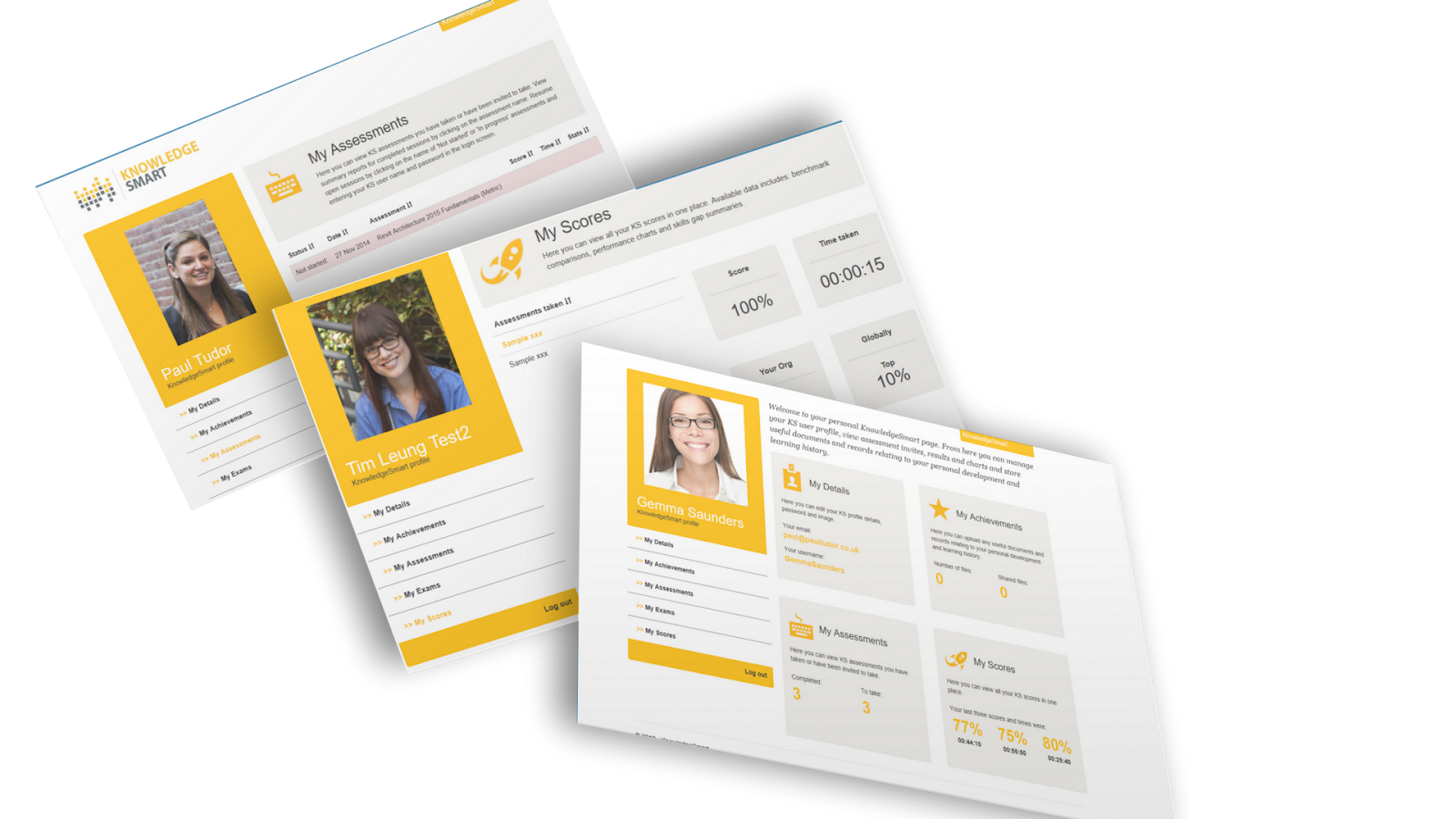
The KnowledgeSmart user profile area encourages engagement to make sure that all team members are aligned and working towards common objectives.

Schedule Development

Use your KnowledgeSmart results to influence your activity duration estimates. All results can be viewed based on score (accuracy) and elapsed time. If for example, you see your star user took 4 minutes to complete a question on detailing, this might help you estimate this part of the project schedule a bit more accurately. Consider grouping your results based on project teams as this will help you re-shuffle the teams based on project requirements as well as design urgent training interventions where it is needed most.

If you know the project requires certain aspects of the project to be delivered within a tight timeframe, you can allocate your top 10 users to this component for the critical days. Use the KnowledgeSmart Data Query Tool to filter to your top users within seconds. Allocate the right people to the right segments of the right projects based on actual skills.

 Negotiating for resources

When negotiating for resources, there are a few components that require consideration. The negotating parties might include your client, other project stakeholders or other functional managers within your organisation. In all cases, there might be differing opinions on project feasibility. There is no doubt that your negotiation skills will be tested. To negotiate about resources you need a clear understanding of the other party's needs and be able to clearly explain how you plan to meet those needs.

Having a solid understanding of the skill levels and skill gaps of the team behind you is indeed good ammunition.

 No more guesswork, data-driven decisions.

 Let KnowledgeSmart be one of the project resource management tools you can't live without.


Monday, 14 May 2018

The abounding value of KnowledgeSmart (Part 3)

Once you have done your analysis on the current status quo and formulated realistic, achievable goals and objectives, it is time to use your KnowledgeSmart data to help you get back on track.


This phase of strategic planning includes typically:
  • Developing supporting strategies and initiatives
  • Structuring action plans including resource plans
  • Deciding on the appropriate tracking systems
With the results analysis of your current resources in place, you can now quickly identify where new resources might be needed to support any growth plans. You can also make sure that you hire the right people for the right projects. You can start using your 'star users' easily identified from your KnowledgeSmart results to help support team members who need further training and development. Department managers can restructure their project teams according to skill level and project requirement using both the score and time aspects of your KnowledgeSmart results. You might even grow your competitive advantage by identifying unique resources or capabilities within your team that may be difficult for other organizations to emulate?

The efficacy of training/coaching and mentoring plans can be tracked by doing follow up assessments customised to the contents of those plans. These types of assessments are short and very useful. Training budgets are often tight, and with your KnowledgeSmart results, you can direct training only where it is needed and prioritise which teams should get assistance first. Monitor improvement in scores, time elapsed, improvement in self-rating scores and a reduced number of training requirements and personal skill gaps.

Bid for new projects with confidence knowing the team that is behind you will be able to deliver.

The KnowledgeSmart Tools deliver so much more than skill assessments and should instead be seen as an essential strategic management tool.

Tuesday, 8 May 2018

The abounding value of KnowledgeSmart (Part 2)

Following on from our previous post, let's consider the second strategic question.

Where to do want to be?


During this significant phase of strategic planning, a company can use their KnowledgeSmart assessment results combined with research on future trends and competitor analysis to formulate a series of positioning statements.

Review the valuable data collected in the last action.
  • What trends can be identified?
  • Do you spot any visible areas of weakness or strengths?
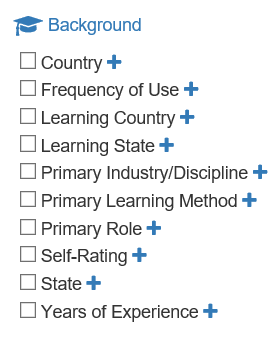
Look beyond just the assessment results in terms of score and elapsed time. Consider the additional data captured by KnowledgeSmart by default such as:
  • Primary learning method
  • Years of experience
  • Self-rating (this indicates confidence)
  • Frequency of use (this could help focus your training plans where it might have the most significant impact)
This step in strategy development  might also include:
  • Vision statement
  • Mission statement
  • Goals
  • Objectives
  • Positioning statements
KnowledgeSmart Assessment data can also be beneficial in helping companies formulate realistic, achievable goals and objectives.

Once companies have an objective measurement of the current situation, they can set more realistic achievable goals and objectives. Companies can even use KnowledgeSmart's internal or global benchmarks to influence their goal setting. Repeat assessments can assist with measuring interim outcomes as plans progress.

How will you align your teams with your strategic goals? Use your KnowledgeSmart data to restructure according to skill and productivity.

What are the roles and responsibilities going to look like? Use your assessment results to identify your star users and retain them through additional development and recognition. Focus learning just on what is needed and re-assess after training interventions to report a positive ROI.  Have confidence in your team when pitching for new projects.

No more guesswork. Reliable, objective, valuable data to influence this phase of strategic planning.